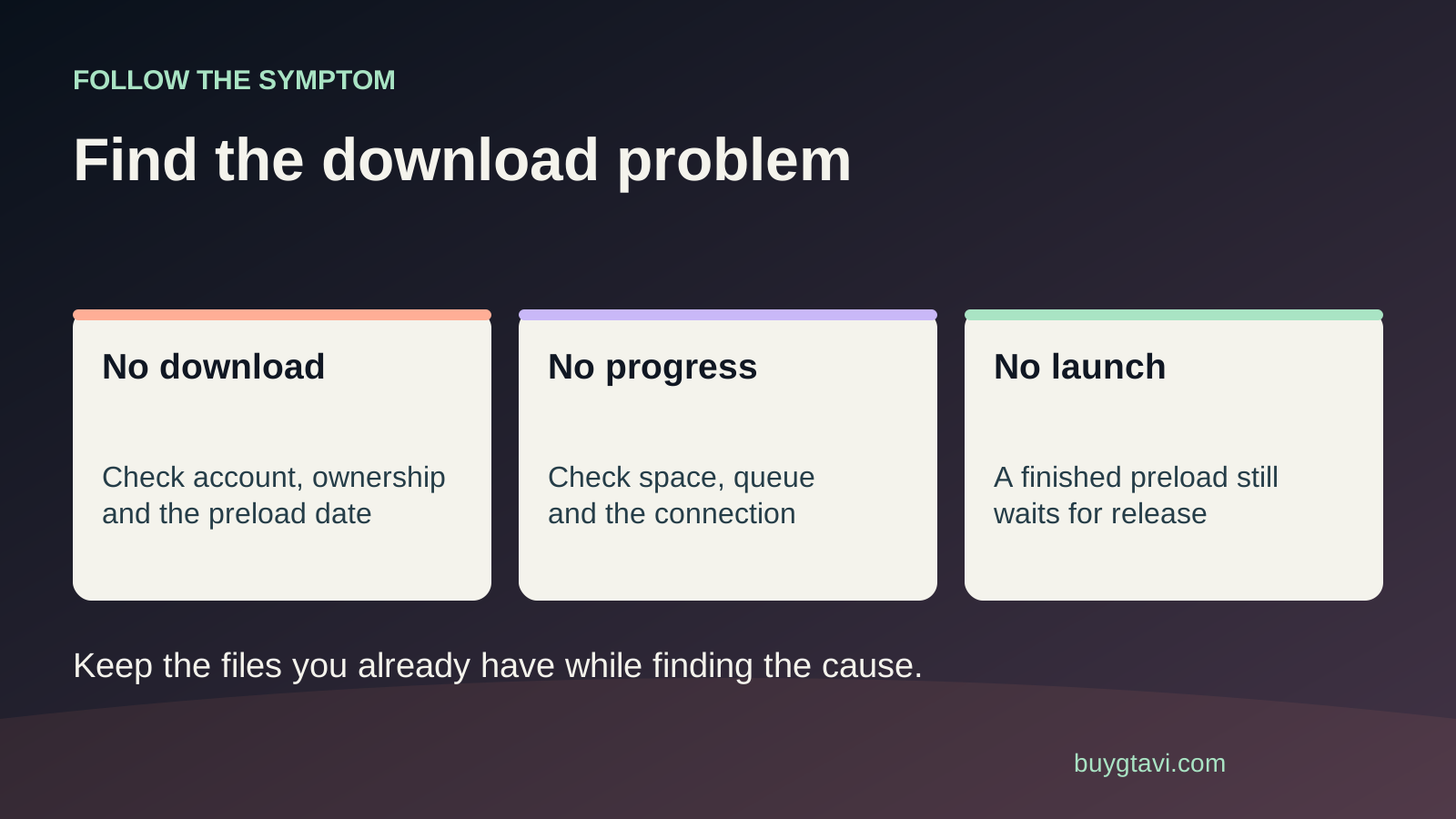
First check whether GTA VI is waiting for its download window, sitting behind another job, actively installing, or showing an error. Then check the service status, the installation drive and your console's internet connection. Try a normal pause and resume before deleting a large partial download. This is platform troubleshooting for a future installation, not a report of a confirmed GTA VI download bug.
Worth knowing first
- Record the status and error before changing anything.
- A working but slow transfer needs time, not constant deletion.
- Match the fix to the queue, storage, network or ownership problem.
| What you see | First check | Next useful step |
|---|---|---|
| No download before preload | The official window and your library entry | Wait for the relevant download window |
| Queued or paused | Other jobs and the queue controls | Resume or prioritize the correct job |
| Not enough space | Requirement and selected drive | Free room on a suitable installation location |
| Buy button or padlock | Purchasing account and completed order | Investigate ownership rather than speed |
| Repeated failure with an error | Exact code, service status and connection test | Follow the matching platform guidance |
What does the screen actually say?
A progress bar that feels slow is not enough to identify the problem. Open the download details and read the status. Queued means another job may be ahead of it. Paused means the transfer is not currently running. Installing can mean the console is working on files it already received. An error message gives you a different starting point again. Write down the words and any code exactly as they appear. A photo is useful if the message disappears when you return to the home screen. Keep account details out of anything you post publicly.
Watch the amount transferred, not only the estimated finish time. A time estimate can jump around when connection speed changes. If the downloaded amount keeps increasing, the transfer is working even if it will take longer than you hoped. If nothing changes, note the amount and come back after a short interval while leaving the job alone. Repeatedly canceling a working transfer can make it harder to judge progress and may throw away useful data. For a download that continues at a low speed, the slow connection planning guide is the better next step.
Before preload opens, no download is not a fault
Rockstar's current guidance says GTA VI preload begins on November 12 at local midnight. This article is published before that window. If you bought the game and are checking early, a library entry or countdown without an active download can be normal. Buying an edition is not the same event as the files becoming available. Check the preload guide and the time displayed by your own platform before treating the absence of a download as a broken purchase.
For a boxed purchase, another step comes first: you need the code delivered and redeemed into the right account. A retailer order showing dispatched does not mean your console already owns the game. Find the actual delivery message or the code in the box, then follow the correct platform's redemption process. If a code produces a region or already-used error, repeated download attempts will not help. Use the code mismatch guide for an account compatibility problem, or contact the seller about a code that was unusable when supplied.
Look at the queue before touching the connection
Open the console's download queue and check what is running above GTA VI. A system update, another game or an app can be taking the active slot. If you want GTA VI to go first, use the queue controls available on your console to pause less urgent jobs. Leave a required system update to finish rather than interrupting it. Then check the GTA VI entry again. This is a simple way to find a download that is waiting its turn, and it costs less time than changing network settings for a connection that is already working.
Also check whether the job is a fresh game download or an update to an existing installation. Removing an entire game to solve a small update problem can create a much bigger transfer. Close games and apps you are not using so the console can concentrate on the operation, then observe one job at a time. If a job remains paused, choose resume once and see whether the status changes or an error appears. Repeating the same button press without reading the result hides the clue you need for the next step.
Check the platform status and your own connection separately
Use the official PlayStation status page or Xbox status page for the platform you are using. An alert affecting purchases or downloads gives you a reason to wait before changing your setup. Read the affected service and timing. An unrelated social feature issue does not automatically explain your transfer. Keep a note of a relevant alert so you can compare its resolution with the time you try again.
Next run the console's own connection test. On PS5, it is under Settings, Network, Connection Status, Test Internet Connection. Use the Xbox network test on your Xbox console. A phone loading a webpage proves that the phone can reach that page; it does not prove that the console has a stable path to its store. If the console test fails while other devices work, concentrate on the console's connection. If every device is offline, start with your home internet service. These two observations lead to different fixes, even though both can stop a download.
Make one simple connection change, then compare
If the console uses Wi-Fi and the signal is weak, try a wired connection when you can do so safely. On PS5, connect the Ethernet cable and select Set Up Wired LAN in the internet connection settings. Confirm that the console is actually using it before judging the result. If a cable is not practical, move obstacles away from the console and check the network you selected. A familiar network name can belong to a guest network with different limits. Ask whoever manages the router if that applies in your home.
Pause other large household downloads for a short comparison if everyone affected agrees. Restart the router through its normal restart process if the connection itself is failing, remembering that this interrupts other users. Restart is different from pressing a reset button that clears the router's settings. Avoid changing DNS, ports or other advanced values because a random video claims they fix everything. A useful test changes one thing and then checks the same download again. If you change several settings together, you may not know which one helped or how to restore the original setup.
Check space on the drive the download is using
An almost-full device can stop an installation even when another attached drive has free room. Check the selected destination, the console's stated space requirement and the free space on that same destination. If the console asks you to free room, handle that before another retry. Do not substitute a rumored GTA VI size for the number the installation screen is asking for. Our storage guide explains the difference between a place to hold game files and a place to play current-generation games.
If you have just moved a game to clear space, wait for the move to finish and recheck the figure. If an attached drive disappears from the storage menu, do not assume the download is frozen because of the internet. Check the device's connection using the platform's instructions and avoid unplugging it while the console is writing to it. When other downloads also fail on one storage device but work on a suitable alternative, that is useful evidence to take to platform support. It does not yet prove the drive needs replacement.
Resume first; restart the whole transfer only with a reason
PlayStation's download guidance includes Pause and Resume, then Cancel and Delete followed by downloading from the library again when a download will not start. Begin with the option that keeps the existing job. If you later cancel and delete a partial installation, expect that you may need to obtain its files again. Compare that cost with your connection speed and allowance before choosing it. A person with a limited data plan has more to lose from repeated full retries than someone on an unlimited fast connection.
On Xbox, use the available queue controls to stop and resume the stalled job, then follow the platform's instructions for the exact message if it stops again. A normal console restart is a reasonable next check once active updates or file operations are safely finished. Watch the fresh attempt and note whether it fails immediately or at the same stage. Do not treat every repeated percentage as proof of a faulty game file. It could also reflect a storage problem or another limit. The useful observation is the repeated behavior, recorded alongside the error and your checks.
When the store asks you to buy again
A Buy button or ownership error needs an account check before another installation attempt. Open the account that made the purchase, review its order history and confirm whether you own the base game or only an upgrade. GTA VI's Ultimate Edition Upgrade is an add-on; owning that alone does not supply the base game. If the game was bought as a gift, check where the gift or code was redeemed. Download controls cannot move a purchase from one account to another.
Do not buy a second copy merely to see whether it downloads. If the order is complete and the account matches but the game remains locked, continue with our license and padlock guide. If your bank shows a charge but your platform order is missing, the payment troubleshooting guide explains why order confirmation matters. Keep these branches separate: a queue problem, a license problem and a payment problem can all prevent play, but they do not have the same remedy.
Use deeper console tools carefully
Sony's support guidance includes Clear Cache and Rebuild Database in PS5 Safe Mode for persistent download problems. Safe Mode is a special startup menu with several different tools. Follow the official instructions and read the exact option before selecting it. Reset PS5 is a separate option that deletes user data. Do not turn a suggestion to rebuild the database into a factory reset because the options share a screen. If you are not sure what a support instruction means, clarify that instruction before proceeding.
Avoid resetting a whole console, clearing saved progress or formatting a drive as a first attempt. Those actions can create another long setup and remove useful evidence. If the simple checks fail, contact your platform with the console model, error code, time, installation location, free space and a short list of what you tried. Mention whether other downloads work. For a retailer code issue, include the order details privately with that retailer. A clear description helps support choose the next step without asking you to repeat every unrelated fix on the internet.
A useful stopping point
You have made progress when you can say one of three things: the downloaded amount is rising, the console gave a specific limit you can address, or an official service problem means waiting is the next step. You do not have to force a download through an outage by changing settings over and over. Once the transfer is moving, leave it enough time to finish and check that installation completes. A full progress bar is encouraging, but the console's final ready-to-play state is the result you are waiting for.
Source desk
Product details checked 2026-10-14. Live store terms can change.
- PlayStation: troubleshoot game downloads ↗ Checked 2026-10-14
- PlayStation: set up wired and wireless connections ↗ Checked 2026-10-14
- PlayStation: Safe Mode options and reset differences ↗ Checked 2026-10-14
- Rockstar: GTA VI preload and upgrade requirements ↗ Checked 2026-10-14