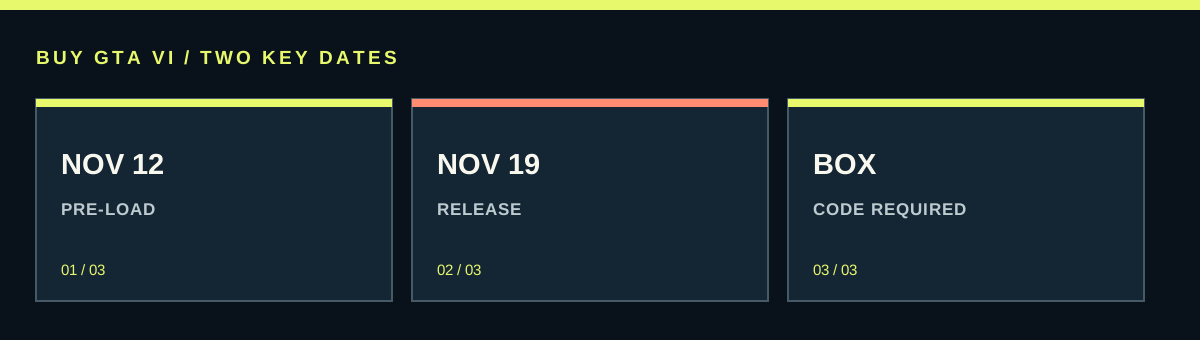
Rockstar says GTA VI preload begins at local midnight on November 12, 2026. The game is scheduled for release on November 19. A qualifying digital owner can prepare the download when the store opens it; a retail-box buyer needs to receive and redeem the included code first. Preload transfers files early and does not allow early play.
Worth knowing first
- November 12 starts the announced preload window; November 19 is the scheduled release.
- A box still needs code redemption and a download.
- Measure your connection and read the actual required space when it becomes available.
| Stage | What you have | What is still needed |
|---|---|---|
| Order confirmed | A recorded purchase or reservation | Payment completion and delivery under the seller’s terms |
| Code redeemed or digital library access | The owning account has access | Preload opening and sufficient storage |
| Download completed | Installation files transferred | Any remaining installation, update and release unlock |
| Release unlocked | The scheduled play window has opened | A working installation and valid account access |
What happens on November 12 and November 19
Preload is a way to get a large download out of the way before a game becomes playable. Rockstar’s published start is local midnight on November 12, 2026. The scheduled release follows on November 19. These are two different milestones, and a completed preload does not remove the game’s release lock.
The word local matters. Do not copy the date and time from a player’s screenshot in another country and assume it is your own store’s countdown. Use the listing and library attached to your platform account. If the store displays a countdown or scheduled download, that is the relevant place to see what your account can do.
There is also a difference between the announced date and your chosen starting time. You do not need to begin at the first possible minute if your connection has plenty of time. A calm plan on November 12 or later is usually more useful than staying awake to fight with several downloads and other household traffic at once.
For a boxed copy, delivery is part of the schedule
The announced retail box contains a digital download code and no disc. Rockstar says boxes are expected to be available for shipping or pickup from November 12 to support preload. That does not mean every online customer receives a parcel at local midnight on that date.
Read the seller’s delivery promise. Dispatch date, pickup availability and arrival date mean different things. A shop preparing your box on November 12 may still need several days to deliver it. Your preload can begin only after you have the code and have redeemed it on the right account.
If you have slow internet and launch-day play is important, compare delivery reliability with the direct digital route before choosing packaging. A collectible box may still be your preference, but plan from its likely arrival rather than counting the whole advertised week as download time. Keep the tracking reference and support route with the order.
Prepare storage without guessing a GTA VI file size
Use the actual download and installation requirements shown by the console or official listing when they are available. A guessed figure spreading online is not a storage specification. Download size and space required to install can differ because files may need unpacking, updates or working space.
Check available storage in the console’s settings. The number on the console box describes a storage model, not how much free space remains after system files and your existing games. If more room is needed, use the platform’s normal storage-management options and identify what you can safely move or uninstall.
Do not delete saved progress or factory-reset a console to solve an ordinary space warning. Saves and installed game files are different things. Follow the platform guidance for your device, and check save protection before removing anything you care about. Only buy expansion storage when you know the amount, compatibility and wider use justify it.
Estimate the transfer time using a real speed
A broadband package advertises a maximum or typical service speed; it does not guarantee the rate your console will maintain for the whole download. Measure a sustained transfer on the console if possible. A weak Wi-Fi signal, other devices and busy servers can all make a long download slower than a quick browser speed test.
For a planning estimate in decimal units, hours are roughly download size in GB multiplied by 2.22, divided by speed in Mbps. The factor converts bytes to bits and seconds to hours. This gives an ideal transfer time before pauses, overhead or installation. It is a planning aid rather than a promise.
For a purely hypothetical 100 GB download, a sustained 25 Mbps connection takes about 8.9 hours in that ideal calculation. At 10 Mbps, it takes about 22.2 hours. These examples are not GTA VI file-size announcements. Once the console shows the real download, replace the sample size with that number and leave extra time.
Make the connection steady before buying anything
If practical, connect the console to the router with an Ethernet cable. A stable connection can matter more than a spectacular speed-test peak. If you use Wi-Fi, improve signal quality with a sensible router and console position rather than expecting the download to overcome a weak connection by itself.
Pause other large game downloads or updates that compete for the same connection. Agree on a suitable time with the household, especially if people need video calls, streaming or work uploads. Do not turn off every other device as a permanent solution; the aim is a manageable window for one unusually large transfer.
Check any data allowance before relying on a phone hotspot. A fast mobile test does not reveal whether a huge game transfer will exceed the plan or slow after a limit. Include installation updates and the rest of the household’s normal data use in that decision.
Starting a preload and knowing what finished
When the preload is available, open the correct library entry and use the platform’s download option. If the platform offers an automatic-download setting, confirm that it is enabled and that the console’s power and network settings allow the planned transfer. Do not assume that a fully powered-off console will behave like a supported rest or sleep mode.
Check the download queue after starting. Some downloads can be paused, waiting behind another item or blocked by insufficient space. A small placeholder entry or initial download does not prove that the full game files are ready. Read the progress and status shown for the actual game.
After the transfer, distinguish downloaded, installed, updated and unlocked. The game may still need a later update or the scheduled release time. Leave some room and connection time near launch rather than assuming the first completed transfer guarantees immediate play in every situation.
Build a launch plan with spare time
Count backward from when you actually want to play. Include likely code arrival if relevant, estimated download time, installation and a margin for updates or interruptions. If a hypothetical transfer needs roughly a day, starting only a few hours before your planned session creates an avoidable problem.
You can still enjoy launch without treating the first minute as a deadline. Schedule the download during the available window, confirm it completes, and make the final account and controller checks in advance. If the connection or delivery cannot support launch-day play, set a realistic first session instead of buying a second copy in frustration.
A successful preload is simple to describe: the right account owns the game, the full download is ready, installation requirements are handled and you understand the remaining release lock. It is preparation for November 19, not a separate edition or a promise of early access.
Source desk
Product details checked October 13, 2026. Live store terms can change.
- Rockstar: preload date, local timing and retail download codes ↗ Checked October 13, 2026
- Rockstar: official release and announced platforms ↗ Checked October 13, 2026
- Rockstar: shipping, pickup and purchase support ↗ Checked October 13, 2026
- Microsoft: preorder payment timing and order status ↗ Checked October 13, 2026