If your GTA VI code reports a region mismatch, compare the code territory with the country registered to the account redeeming it. Rockstar publishes restricted PlayStation code groups and says GTA VI Xbox codes are not region-locked. Confirm that you have a full game code for the right platform, keep it unused if possible, and ask the seller or platform to resolve the exact error.
Worth knowing first
- The error text decides the first check; not every rejected code is a region problem.
- GTA VI game codes, wallet vouchers and digital gifts have different rules.
- A redeemed PlayStation code cannot simply be moved to another account.
| What you see | Check first | Useful next step |
|---|---|---|
| Country or region error | Account country and code territory | Ask the seller to confirm the intended code group |
| Invalid or incomplete code | Characters, product type and activation | Check instructions and contact the seller if it remains invalid |
| Already redeemed | Own transaction history and other household accounts | Ask platform support to investigate with proof of purchase |
| Wrong platform | PS5 versus Xbox Series X|S | Request a correction from the seller before redeeming |
First, stop and record the actual message
A code that fails is frustrating, especially when you bought it as a gift. The quickest useful action is to copy the exact message or take a screenshot. Do this before changing accounts, deleting anything or buying another code. Write down the time and which store or console displayed the message. Different errors need different fixes.
A country warning concerns the territory of the account and code. An already-redeemed warning concerns whether the code has been used. An invalid-code warning can involve a typing mistake, the wrong type of voucher or seller activation. A download waiting for the preload date is yet another issue: the code may have worked perfectly.
Keep the code out of any public screenshot. A receipt, partial code reference and error message may be enough to start a support conversation. Supply a full code only through the verified private support process when it is requested.
Find the account country, not just your location
The important country is the one attached to the platform account. Your current address, holiday destination, console language and payment-card currency do not reliably tell you that country. Open the official account settings or account-management page and identify the registered country. Make sure you are checking the exact account that will receive the game.
For example, a person who moved from the UK to Brazil may still use their established UK PlayStation account. A relative shopping locally in Brazil could buy a code for the Brazilian group. Both people are acting in good faith, but the purchase and account can still be a mismatch. The move itself does not change what the code accepts.
If you cannot identify the account country, ask the account owner to check it before attempting redemption. You do not need their password. For a gift, a short message asking for console model and store country prevents more trouble than a guess based on where they live.
How Rockstar groups PlayStation game codes
Rockstar’s GTA VI support page lists specific groups for PlayStation codes. Brazil and the United Kingdom are separate groups. North America includes the United States and Canada. Other countries are listed under their own groups or larger groups. Read the current official list for your exact country rather than applying a simple rule such as all English-language boxes work together.
This matters because a country is not the same thing as a language or a continent. A Spanish-language listing does not establish compatibility with every Spanish-speaking account. A European seller does not automatically supply a code for every account in Europe. Ask which GTA VI PlayStation code group the product is intended for.
Suppose your account is Brazilian and a seller offers a UK code. Rockstar lists those separately, so a lower price does not make it the right product. The practical solution is a compatible code or a purchase from the appropriate account store. A sealed box and an English cover cannot change the territory rule.
Xbox game codes need a different explanation
The same Rockstar page says GTA VI Xbox codes are not region-locked. Do not copy the PlayStation group table onto Xbox and present it as an Xbox restriction. If an Xbox GTA VI code produces a region warning, first establish what the seller actually supplied and record the full error rather than assuming the PlayStation rule explains it.
A full game download code is different from a Microsoft wallet voucher, a gift sent through a store or a subscription code. The Rockstar statement about this game’s Xbox codes does not turn every Microsoft product into a worldwide voucher. Read the rules of the actual item purchased, especially if the listing sold store credit rather than GTA VI itself.
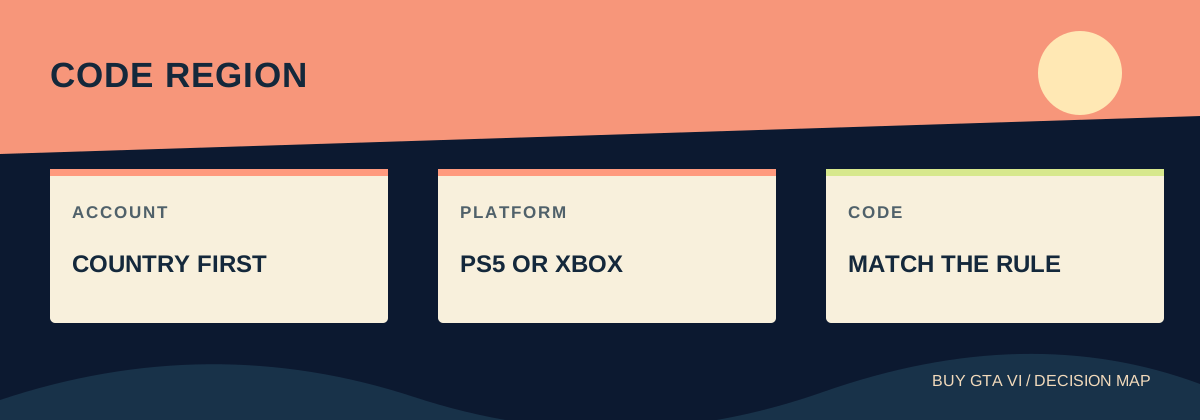
Platform compatibility still applies. An Xbox code cannot be redeemed on PlayStation, even if its region is unrestricted. Similarly, the words Xbox Series X|S on the game listing do not make it playable on Xbox One. Keep platform, code type and account country as three separate checks.
Check whether this is really a code-entry problem
Enter the code carefully using the seller’s or platform’s instructions. Distinguish characters that look alike and avoid copying extra spaces. PlayStation’s support page explains that its ordinary voucher codes have twelve digits, while ten-digit discount codes are applied during a purchase. A discount does not supply the full game.
If the product is already in your library, the redemption may have succeeded even if the last screen was unclear. Check transaction history on the intended account and any relevant household account. Do not enter the code on several unrelated accounts simply to see which one accepts it; the first successful redemption can attach the purchase somewhere you did not intend.
Some vouchers need activation by the retailer. That is a sale-processing question for the retailer, not a reason to change your console region. If a code is damaged, photograph the packaging and keep proof of purchase. Do not guess missing characters repeatedly or let a stranger offer to test the code for you.
Before redemption, ask for a product correction
If the code is unused and the listing supplied the wrong region or platform, contact the seller promptly. State what was advertised, what was delivered and the account country you need. A useful message is: I ordered a PS5 GTA VI code for a Brazilian account; the supplied product is described as UK; I have not redeemed it; please explain the correction or refund route.
Attach the order reference and a screenshot of the listing. Keep the conversation inside the seller’s official support or marketplace order system so there is a clear record. Ask for a written answer about compatibility rather than accepting an instruction to keep trying different countries.
Whether a refund or replacement is available depends on the seller, the product condition and the applicable terms. Do not treat a general return policy for physical goods as proof that a revealed digital code can be returned. The aim is to establish the right remedy before further use complicates the order.
If it says already redeemed or went to the wrong account
An already-redeemed message does not prove that a stranger stole your game. First check whether you or someone in the household redeemed it earlier. PlayStation points readers to transaction history and the library for this check. A successful redemption can be easy to forget if the download has not opened yet.
If you cannot find the content on an account you control, contact platform support with the receipt, retailer, purchase date and exact message. Contact the seller too when the delivered code appears previously used. These records help them distinguish a delivery error from account confusion. Do not post the code publicly to prove your complaint.
If the code was redeemed on the wrong PlayStation account, Sony says funds or content cannot be transferred between accounts. Signing out does not undo redemption. Ask official support what options apply to the actual case, but do not plan on a simple transfer button or promise that a new account will fix ownership.
Why changing country is a poor first fix
A VPN changes a network route; it does not establish the right account ownership or make a wrong product the one you ordered. Creating another account can leave the game, add-ons, purchase history and saved progress split across accounts. Even if one problem seems to disappear, the next purchase can become harder to manage.
PlayStation says the region chosen when an account was set up cannot be changed. That makes an improvised country switch especially unhelpful advice for a PlayStation voucher problem. Start with the correct product for the account you intend to keep, and handle an incorrect sale through its seller.
For cross-border gifts, write down the recipient’s console family and account country before ordering. Buy a clearly identified compatible product and keep the receipt with the giver. This turns a vague international-version claim into a purchase you can explain and support if something goes wrong.
A short record that makes support easier
Keep five facts together: the seller and order number; the advertised platform and region; the account country; the exact error and time; and whether the code has ever been accepted. Include screenshots with private details hidden when you first ask for help. Add the full code only when the verified support agent needs it through a private form.
The responsible contact follows the purchase. A platform-store transaction belongs with that platform. A code purchased from another retailer starts with that retailer, while Rockstar’s purchase FAQ explains the separate Rockstar Store physical-order route. When those facts are clear, you can ask one specific question and avoid paying twice while the original purchase is unresolved.
Source desk
Product details checked October 13, 2026. Live store terms can change.
- Rockstar: GTA VI platform and code-region guidance ↗ Checked October 13, 2026
- PlayStation: voucher errors, account regions and prior redemption ↗ Checked October 13, 2026
- Rockstar: purchase-support routes ↗ Checked October 13, 2026