If a GTA VI preorder payment appears to fail, first check the store account’s order history and confirmation email. Do not place a second order while the first has an unclear status. Save the error and transaction details, then contact the store or retailer that actually processed payment.
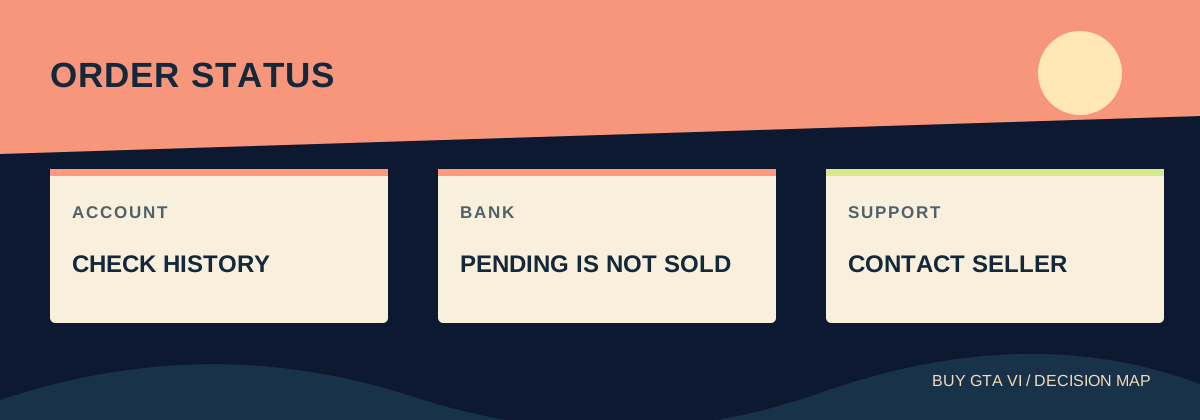
Stop checkout and check whether an order exists
If your GTA VI preorder payment fails, do not immediately press buy again. First check the purchasing account's order history and email receipt. A checkout error, a bank notification and a missing game icon can describe different stages. You need to know whether the first attempt created an order before making another attempt with the same money.
Write down the exact error, the time and which store you used. If an order number appears, keep it with the edition and platform. If no number appears, record that too. These details let support investigate a specific attempt. Repeating checkout several times can turn one unclear transaction into several that you now need to untangle.
Check the account identity before deciding that the order disappeared. A browser may be signed into one account while the console uses another. In a household with several players, the email receiving a receipt may belong to the person who normally buys games. Find the owner of the transaction before changing billing information or opening a new account.
Separate a bank hold from a completed purchase
A pending bank entry can be an authorization, meaning an amount has been set aside while payment is being handled. It is not automatically a completed charge or proof of a game license. Read the entry's status and compare it with the store order. The bank and the store answer different parts of the question.
For example, imagine checkout shows an error, the bank shows one pending entry and the store shows no completed order. That does not justify saying the game is bought, but it also does not justify treating the money as freely available for another attempt. Ask the store whether an order exists and the bank what the pending status means.
Now imagine the store shows a confirmed order and the bank shows one charge, but the console library looks empty. That points first toward an account or library problem. A second purchase could duplicate a successful transaction. Keep the receipt and investigate the missing access instead of using another payment to test whether the store works.
Find a PlayStation transaction on the correct account
PlayStation's online route is Account Management, then Transaction History. Select a date range that includes the attempted purchase and open the transaction details. The range matters: an older preorder may not be in the small window you happened to select. Check the product and date rather than relying only on the total amount.
On PS5, Sony documents Settings, Users and Accounts, Account, Payment and Subscriptions, then Transaction History. Use the relevant account and date range to inspect the entry. You can also use the PlayStation App's store menu to reach transaction history. Choose whichever supported route you can access without signing into a stranger's device.
If the purchase is listed, save the transaction reference and check Game Library on the same account. If it is absent, look for an email receipt and the original checkout error before trying again. PlayStation support can investigate the purchase details and missing content. A game page showing a price is less useful than the actual transaction record.
Microsoft preorders can be charged later
A Microsoft digital preorder does not always charge the same way on the day you order. Microsoft says payment from account funds is charged immediately. With other payment methods, including a backup payment method, it may charge up to ten days before release. A later payment notice can therefore concern the existing preorder rather than a new purchase.
Check Microsoft order history using the account that placed the order. Open the GTA VI entry and inspect its status and details. If the game was reserved earlier and a card later expired, that can produce a payment problem near release. The practical job is to repair that order's payment route, not to buy a different edition.
Keep the original order date alongside the payment notice date. This is useful when several bank entries or emails make the sequence confusing. You want to match one game order with its billing activity. Do not assume every message means another copy was bought, and do not assume an old confirmation guarantees that later billing succeeded.
Use Microsoft's payment correction route
Microsoft directs buyers with a failed preorder payment to order history, the preorder entry and Change how you pay. Choose a valid payment option or add a new one using the official account controls. Follow the specific notice attached to your order rather than typing payment details into a link supplied by an unknown sender.
Its guidance also says it tries the current payment method two more times before launch when another payment method is not provided, and cancels if payment still cannot be collected. That is useful context, but waiting for failure is a poor plan if you want the game. Resolve the notice while you can inspect the existing order.
After changing the payment method, return to the order and check its status. Save any confirmation and watch for the final billing result. Do not treat a successfully saved card as proof that every charge has completed. Account details updated, order confirmed and payment settled are separate checkpoints that can finish at different times.
Check the payment details that can actually be wrong
Read the platform's error guidance and check the payment information in your own account. A card may have expired or a billing address may be outdated. Correct real mistakes through the store's normal controls. Do not change the account country simply because an unrelated online tip says it makes a declined payment go through.
If the bank reports a declined transaction, ask it about that specific attempted charge using the time and merchant description. The store can confirm order status, while the bank can explain a card-side refusal. Each side needs the right question. Asking the publisher to unlock a bank card will not resolve the payment route.
Check the final amount and currency before any supported retry. A subtotal from an earlier product page may differ from the final checkout amount. Make sure the available payment method can cover what the actual order requires. Keep the decision small: correct the identified issue and verify the result instead of replacing several working parts of the setup.
Retail orders and Rockstar Store have their own route
Use the seller on the receipt. Rockstar's purchase-support FAQ sends PlayStation Store questions to PlayStation and Xbox Store questions to Xbox. For physical purchases completed on Rockstar Store, it identifies Xsolla as the purchase-support route. Other retailers handle their own purchase, delivery and refund questions, even when they sell the same game.
For a retailer, distinguish payment accepted, order reserved, code issued and package dispatched. A successful charge does not mean a download code has already been delivered. Ask which stage the order has reached and what delivery date applies. This avoids treating a normal future dispatch as though the payment failed or the game license vanished.
If you buy a code from another store, Microsoft or PlayStation order history may not show the retailer's payment transaction. The platform can help with redemption questions, but the seller still owns the retail sale. Keep the retailer receipt and the code's exact error if redemption later fails; do not mix those two support problems into one vague request.
Send support a question it can answer
A useful message is: I attempted to preorder GTA VI Standard for PS5 on this account at this time. Checkout showed this error. Transaction history shows no completed purchase, and my bank shows one pending entry. Please confirm whether an order exists before I try again. Replace every detail with what your records actually show.
For an existing Microsoft preorder, say that the order was placed on its original date, a payment notice arrived later and the current order status is the one displayed. Include the reference and what happened after you used Change how you pay. That makes it clear you need help with an existing transaction rather than a new sale.
Use official support forms and keep private data private. An order number, account identifier and error are usually more useful than a complete payment card number. Never give a password or recovery code to someone offering to fix checkout through a social-media message. Keep screenshots limited to the details needed to explain the issue.
When a single retry makes sense
Retry after the store's records or support make clear that the earlier attempt did not leave an active order, and after the identified payment problem is addressed. Return through the official product route. Check platform, edition, intended account, currency and delivery terms again before confirming. A clean retry should be a deliberate action with a known starting point.
Afterward, look for a receipt and the order entry before doing anything else. Check the game appears on the intended account when the platform makes it available. If the same error returns, save the new time and result under the same support case. Do not keep pressing the purchase button just because no useful confirmation arrives.
If two completed orders already exist, stop purchasing and use the seller's cancellation or refund route for the unwanted transaction. Identify each order clearly and keep the one you want. Do not guess that a pending bank entry will cancel itself when the store is showing two active purchases with different references.
Finish with one clear order and a usable record
The result you want is one intended game order, a payment status you understand and a license on the correct account. A later download or release lock is a separate issue. Check those stages when they become available, but do not let a technical installation question restart an already settled purchase process.
Keep the order reference and final support response until the bank and store records agree. If a refund was approved, track its stated destination separately from the cancellation confirmation. If the payment was corrected, watch for the completed result. These are small follow-through steps that prevent an unresolved charge from resurfacing later.
Once the records are clear, return to preparing storage and download time. Payment errors feel urgent because money is involved, but a calm sequence usually gives you better answers: identify the account, inspect the order, match the payment and act on the exact failure. That protects both your game plans and your budget.
Source desk
Product details checked October 13, 2026. Live store terms can change.
- Microsoft: preorder charges and failed payment correction ↗ Checked October 13, 2026
- PlayStation: transaction history and missing purchase checks ↗ Checked October 13, 2026
- Rockstar: purchase support by seller ↗ Checked October 13, 2026