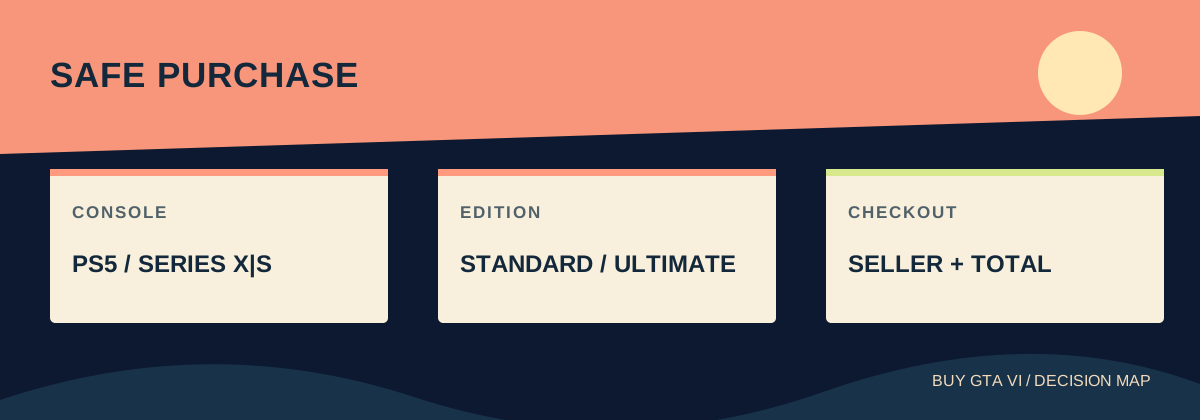
Choose the version for your PS5 or Xbox Series X|S, confirm the account that will own it, then buy from the official platform store or a retailer with a clear product and support policy. Check the full price before paying and confirm the order afterward. A retail box contains a download code, so it still needs the right account and an internet download.
Worth knowing first
- A safe purchase starts with the console and owning account.
- Compare the game, optional edition extras and temporary promotions separately.
- An order receipt, a redeemed code and a finished download are three different steps.
Start with what you can actually play
The most expensive mistake happens before payment: buying something that your machine cannot run. The announced GTA VI console families are PlayStation 5 and Xbox Series X|S. Read the model name on your console or in its settings. An Xbox One is different from a Series X, and a PS4 is different from a PS5. A seller using only the words PlayStation or Xbox has not given you enough detail.
If you own an announced console already, begin there. Replacing a working machine to save a small amount on a game usually makes the whole purchase more expensive. If you own only a PC or an older console, keep the hardware decision separate. A console code does not become a future PC copy because both purchases use a Rockstar account.
For another person, get their exact model and preferred platform before browsing offers. Someone with both a PS5 and Series S may prefer one library or controller. Picking their actual choice is more useful than choosing the version you happen to know how to buy.
Name the account that will own the game
A digital purchase is attached to an account. Before ordering in a browser, check which account is signed in; a shared laptop may remember somebody else. Make sure you can sign in on the intended console and reach the account email. If the account is yours, use your existing account rather than creating a new one just for a deal.
Write down the account country without writing down the password. This country helps determine the right store and, for PlayStation codes, the compatible territory. Where you are travelling or where the seller ships a box is a separate detail. A British account does not become a Brazilian account when its owner takes a holiday.
A seller offering a ready-made account is selling a different arrangement from a game code for your account. Access can depend on credentials or settings controlled by somebody else. For a straightforward personal purchase, choose a normal game entitlement or a legitimate unused code that your own account can redeem.
Choose an edition for its actual contents
Standard supplies the base game. Ultimate adds an extra package, which includes more than a name on the cover: official listings describe additional vehicles, equipment, clothing, locations and activities. Read those contents as things you might use. You do not need to want all of them, but you should know what the extra payment buys.
A later Ultimate upgrade is announced for Standard owners. That leaves a useful option if you want the base game now and need more time to decide about extras. Compare the actual upgrade listing when buying it; the difference between two edition bundle prices does not automatically establish the standalone upgrade price in every country.
Keep temporary preorder rewards and a promotional GTA+ month outside this edition comparison. An offer with a deadline or separate claim is not a permanent definition of Standard or Ultimate. If a membership is part of your decision, include its claim steps and renewal terms rather than treating the word free as the whole explanation.
Understand exactly what the seller delivers
Direct digital purchase normally puts the product into the purchasing platform account. A retail code gives you another step: receive the code, redeem it on the correct account, then download the game. Rockstar says the announced GTA VI retail box contains a code without a disc. Packaging therefore does not provide a disc installation, lending or resale route.
A retailer can deliver a box, email a code or offer another clearly described product. Find that description before comparing the price. A box arriving on your gift date is useful only if the recipient has time and internet access to install the download. A promise to deliver a code at launch also differs from access during the earlier preload window.
For a used or opened box, do not assume that the code is unused. Once a code has been redeemed, owning the cardboard does not give the next buyer a new game license. If the code status cannot be established through a sensible seller policy, value the item only as packaging.
Use the official store as your comparison point
Rockstar lists PlayStation Store, Xbox Store and Rockstar Store as official ordering routes, with availability depending on country. Open the appropriate store yourself from the platform or Rockstar website. Check the domain name before signing in, especially when arriving from an advert or a message promising an unusually large discount.
The platform store gives you a useful reference product even if you eventually choose a retailer. Record the platform, edition, format and local total. A competing offer must match those details to be a fair comparison. An upgrade-only listing, collectible or wallet voucher is not a cheaper full copy of the game.
At a marketplace, identify the actual seller handling the order. A familiar marketplace name does not by itself explain who supplies the code or resolves a failed redemption. Look for a clear delivery method, written product description and a support route that applies to digital codes rather than just to unopened household goods.
Work out the amount you will really spend
Compare final totals in the same currency and market. Delivery, tax and currency conversion can change the order of two offers. If a retailer shows one price on the search page and adds charges at checkout, use the checkout total. Do not compare a US advertised price with a tax-inclusive price elsewhere as though the difference were pure markup.
Here is a made-up example to show the method, not a live offer: one matching code costs 80 units with no added fee; another costs 74 plus 9 for delivery. The second order totals 83, so its lower headline does not make it cheaper. If both are otherwise suitable, the first saves 3 and may also have simpler delivery.
Do the same calculation for a box plus a separate upgrade. Include both purchases and any delivery charge. Buying two parts may suit a collector, but it should be a conscious choice rather than a surprise second bill.
Read the last screen slowly, then keep proof
Before confirming, read the platform, edition and delivery format one last time. Check the signed-in account and the displayed country or currency. Remove accidental accessories or subscriptions. If a bundle includes a recurring service, understand which amount is charged now and which amount may be charged later.
After payment, keep the order number and confirmation from the seller. Check the store order history as well as email. A pending bank entry is not the same as a completed order, and an absent email may simply mean you are looking in the wrong mailbox. If the payment page fails, inspect the order before trying again.
Save a copy of the listing when its delivery or code terms matter. Keep the actual code private. Public screenshots should hide code characters, personal addresses and payment details. A useful receipt proves the seller and product without turning your support request into a public giveaway.
Finish the purchase by checking delivery and access
When the code arrives, sign into the intended account first. Read the product name shown during redemption before accepting. Afterward, check that the game appears in that account’s library. The download may still be scheduled for a later preload date; owning the game and having all installation files are different states.
For a slow connection, plan from the download size when the console provides it and from a measured speed. The announced preload begins at local midnight on November 12, 2026. Preloading downloads files before the scheduled November 19 release; it does not grant early play. A retailer must still deliver your code in time for you to use that window.
If something fails, take the shortest relevant route. A platform-store order belongs with that platform’s support. A retailer code or missing parcel starts with the retailer. Rockstar’s purchase FAQ directs Rockstar Store physical-order issues to Xsolla. Send the order number, exact error and product details through the appropriate private support channel. Explain what happened rather than purchasing another copy as a test.
Source desk
Product details checked October 13, 2026. Live store terms can change.
- Rockstar: announced platforms, editions, retail format and preload ↗ Checked October 13, 2026
- Rockstar: official ordering routes and countries ↗ Checked October 13, 2026
- Rockstar: purchase and delivery support ↗ Checked October 13, 2026
- PlayStation: detailed Ultimate Edition product ↗ Checked October 13, 2026