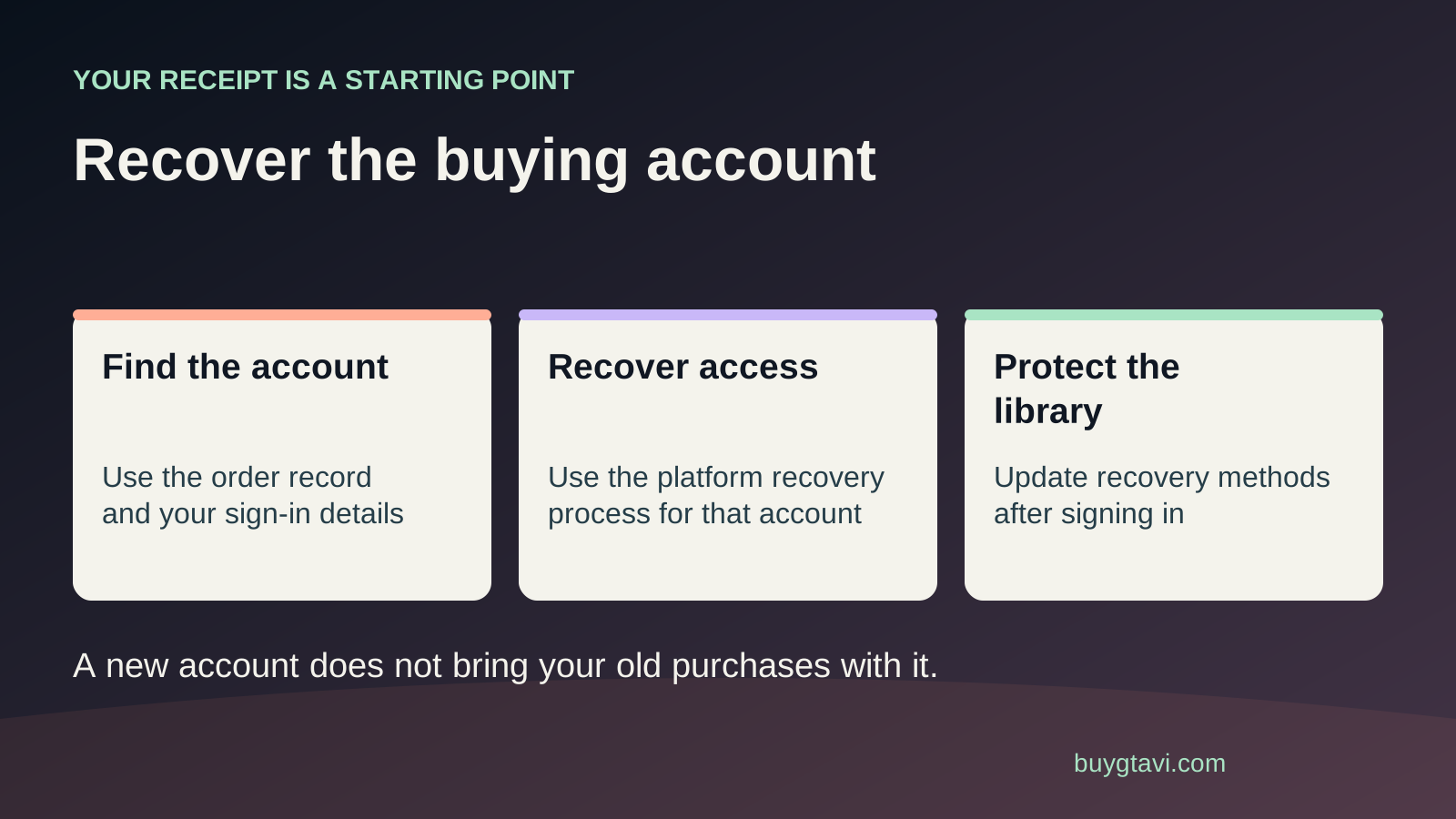
Find the platform account that bought or redeemed GTA VI, then recover that account through PlayStation or Microsoft. Keep receipts and any signed-in device available. Creating a new account does not bring the old purchase with it. A forgotten password, lost email, missing security device and suspicious account change need different recovery steps; do not pay a stranger to bypass them.
Worth knowing first
- Trace the redeeming account as well as the retailer receipt.
- Preserve signed-in devices and use the correct recovery route.
- Verify the recovered game before changing console profiles or buying again.
| Sign-in obstacle | Useful first step | Why a new account does not fix it |
|---|---|---|
| Forgotten password; email available | Use official account recovery | The purchase remains on the old account |
| Registered email unavailable | Email recovery and platform support | A new inbox does not prove old ownership |
| Lost passkey or security device | Check genuine alternate verification methods | New credentials cannot bypass old security |
| Unrecognized account changes | Use official account-security help | The original account still needs protection |
Start with the purchase, not a new profile
You replace your phone, set up a console and cannot get into the account used for your GTA VI order. A fresh account feels like the fastest way forward. It may get you into the console, but it does not answer where your game purchase went. Digital ownership is recorded against the purchasing or redeeming platform account. A familiar name, the same TV and the same person paying the bills do not make a new account inherit that record.
Before spending again, find the receipt and check the platform, product and account shown. If you bought a retail box but never redeemed its code, there may be no game purchase in the old platform account yet. That is a different situation: the unused code still needs a suitable owning account. If you redeemed it already, work on recovering that account. Knowing which of those situations applies prevents you from searching for a transaction that never happened or abandoning one that did.
Trace who owns the game with three records
Look for the seller's order confirmation, the platform redemption or purchase record, and the account library entry. These records answer different questions. The retailer receipt shows where you bought the code. The platform record shows where that code was applied. The library shows what the signed-in account can access. One retailer receipt may not identify the account that later redeemed a gift, so ask the recipient to help if that is how the purchase was used.
Search your accessible inboxes for the platform name and GTA VI, then compare account addresses carefully. A work address, old school address or secondary mailbox may be the one you used years ago. If an older console is still signed in, inspect its account details without removing the profile. Write the account ID and relevant order numbers in a private note. Do not save a plain-text list of passwords beside the receipts or publish a screenshot with the full code visible.
Name the obstacle before following a recovery page
A password problem means you know the account and can still reach its recovery methods, but cannot supply the current password. An email problem means the reset message goes to a mailbox you cannot open. A security problem means you cannot provide the extra approval, passkey or verification code requested after sign-in. An account-change problem means the expected email, password or ID may have been changed without your permission. Those four problems can look like the same 'can't sign in' message.
Write down the exact point where sign-in stops. For example: 'The password is accepted, but the next screen asks for a code sent to my old phone.' That is more useful than 'I lost everything.' Note whether you still have a working authenticator, backup code, trusted device or access to the registered email. Do not keep requesting password resets when the real obstacle is the next security step; a new password alone may leave you at the same screen.
PlayStation: follow the route matching what you still have
PlayStation's official recovery page gives separate paths for a passkey and email recovery. A passkey is a way to sign in using a device's secure unlock, such as a fingerprint or screen lock, instead of typing a password. If the same passkey is available on another registered device, PlayStation says you can use that device to sign in and register a new passkey. If you can reach the account email, use the recovery option from the official sign-in page.
If you cannot use another passkey device, cannot access the email or have forgotten the sign-in address, the official recovery page directs you to its Online Assistant. Use the page for your account country and follow its identity checks. A purchase receipt can help you explain the case, but it is not a universal replacement for every check support needs. Keep the original information accurate. Guessing a new date of birth to make a form accept you can create another mismatch instead of fixing the existing one.
Microsoft: use Sign-in Helper before the recovery form
For an Xbox purchase, recover the Microsoft account connected to the owning Xbox profile. Microsoft's official guidance recommends its Sign-in Helper first. If you need the account recovery form, gather information about that account before completing it. Use an accessible contact email for the response, and, where possible, a device and location you have used with the account before. The contact email lets Microsoft reply; it does not create a new account that automatically receives the old game.
There is an important limit: Microsoft says its recovery form cannot recover an account with two-step verification enabled when you have lost access to all alternate verification methods. Support cannot simply send a reset link or change the account details to bypass that protection. Check your genuine backup methods carefully rather than believing someone who promises a special paid override. If an attempt is unsuccessful, improve the information in the official process. Do not turn one inaccurate guess into many repeated requests with the same missing details.
If the email account is the missing piece
Work on the email provider's own recovery process as well as the platform case. Restoring the mailbox may allow you to receive the normal platform reset or security notice. Use the provider's real website, reached directly, and check any device where the mailbox may still be signed in. Do not assume a forwarding address and the original account address are the same: receiving copies of messages does not necessarily mean you can sign in to the original mailbox.
An old school or workplace email may no longer belong to you. Explain that to platform support rather than sending repeated resets to an address you cannot control. If the account address includes a typo, show the exact address in the existing record and describe the mistake. Avoid creating a similarly spelled mailbox merely to impersonate an address that belonged to somebody else. The goal is to establish access through the official process, with information you are entitled to use.
If you suspect somebody changed the account
A message about a changed sign-in address or unfamiliar purchase deserves a different response from a forgotten password. Keep the notice and use the platform's account-security or recovery support route. Secure your accessible email account too, because it may be involved in the sign-in process. Check for unrecognized forwarding rules or signed-in devices through the email provider's official settings. Do not reply to a stranger claiming they can recover the account if you send money or an approval code.
Record what you noticed and when: the last successful sign-in, the change notice and any unfamiliar transaction. You do not need to prove who caused the problem before reporting it. State only the facts you can see. If the account is still signed in on a device, do not use that opportunity to make random security changes that you do not understand. Follow official instructions for securing the account and confirming control, particularly when the recovery details no longer match yours.
Keep useful access while the case is unresolved
Avoid factory-resetting the only console still showing the account just to make the sign-in screen look clean. A reset does not recover an online account. It can also remove local information you wanted to inspect. Similarly, uninstalling GTA VI is not a fix for a missing password. The download files and the owning account are separate. Leave the device secure and available while you collect the relevant account and purchase details.
You can keep a short case note: account ID, platform, order numbers, exact problem, recovery methods you still have and the support case number. Record actions once so you can tell the next support person what happened. Keep private details off public forums. You may ask a general question without attaching your receipt or complete email address. Genuine support should be reached through the platform website, not through a phone number pasted into a search result, comment or unsolicited message.
When sign-in works, confirm GTA VI before making changes
After recovery, open the game library on the recovered account and check the purchase or redemption record. Confirm the exact item: base game, edition or upgrade. If GTA VI is absent, compare the retailer receipt and other household accounts before deciding recovery failed. You may have recovered an account you own that never received the game. Our wrong-account guide covers that next branch.
If the purchase is present but a console shows an access error, use the platform's license and sharing troubleshooting rather than buying again. Before launch, an owned game may also be waiting for the announced preload or release time. Those are not lost-account problems. Check the title's current availability message. The preload guide explains the difference between owning the purchase, downloading files and being allowed to play.
Make the next phone change less stressful
Once control is confirmed, review the platform's security settings. Replace recovery details you no longer control and keep more than one supported recovery method where available. Store backup codes in a private place you can reach if the phone is lost. Check that you can actually open the recovery mailbox. A security method is useful only if it remains available when the main device breaks or disappears.
Before wiping or trading in an old phone, test sign-in on the replacement and confirm that the necessary approval method works. Keep account purchase receipts organised, with the platform and owning account clearly identified. For a household, agree who redeems gifts and which account owns each game. These small habits do not guarantee every future recovery, but they prevent avoidable confusion. Your goal is to keep access to the purchase you already made, rather than letting a device change turn into another game bill.
Source desk
Product details checked 2026-10-14. Live store terms can change.
- PlayStation: recover an account with a passkey or email ↗ Checked 2026-10-14
- Microsoft: Sign-in Helper and account sign-in problems ↗ Checked 2026-10-14
- Microsoft: recovery form guidance and two-step verification limits ↗ Checked 2026-10-14
- Microsoft: unsuccessful account recovery ↗ Checked 2026-10-14