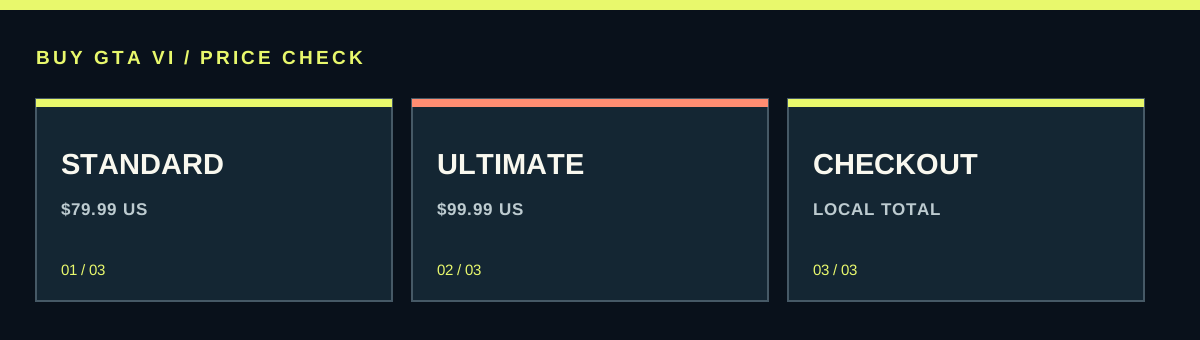
The US PlayStation and Xbox listings checked on October 13, 2026 show GTA VI Standard at $79.99 and Ultimate at $99.99. The listed difference is $20. Your own store, currency, tax and any retail delivery charges determine what you actually pay. Compare the same platform and edition before calling an offer cheaper.
| US listing checked October 13 | Displayed price | What it supplies |
|---|---|---|
| PlayStation Standard | $79.99 | PS5 base game and applicable offer benefits |
| PlayStation Ultimate | $99.99 | Game plus Ultimate Edition Upgrade and applicable benefits |
| Xbox Standard | $79.99 | Series X|S base game and applicable benefits |
| Xbox Ultimate | $99.99 | Game plus Ultimate Edition Upgrade and applicable benefits |
| Xbox Ultimate Edition Upgrade | $20.00 | Add-on; requires the base game |
The confirmed US figures and what they mean
GTA VI Standard is listed at $79.99 and Ultimate at $99.99 on the US PlayStation and Xbox pages checked for this guide. These are actual store figures, not a prediction based on earlier games. The listed difference is $20 before any difference in charges applied to your particular checkout.
Keep the country beside those numbers. A US dollar price does not announce the price in pounds, euros, Brazilian reais or another market. Even a currency conversion calculated today is not the same as an official local offer. Stores can use their own regional prices and show tax differently.
To find your price, open the correct platform store with the account you will use. Select the edition, read the displayed currency and continue far enough to see the complete total before confirming payment. This gives you the number that matters for your order. A headline shared online may be accurate for somebody else while being a poor guide to your bill.
Standard and Ultimate buy different content
Standard provides the base game. Ultimate adds the Ultimate Edition Upgrade. The extra package includes more than appearance changes: the detailed official description includes vehicles, weapons, special destinations and activities alongside outfits and other style options. Someone mainly interested in the story and someone who loves collecting extras can reasonably make different choices.
Use the official contents to judge the extra $20 in the dated US comparison. Mark the features that actually interest you, rather than counting every line as equally valuable. If cars, optional activities and exclusive locations are a large part of how you expect to play, that is a clearer reason to choose Ultimate than the premium label alone.
Conversely, a buyer can prefer the base game and leave the upgrade for later. Rockstar says Standard owners can buy the add-on separately. That includes retail Standard owners after redeeming the game code. You are deciding whether to pay for the listed extras now; you do not need to buy a second base game simply because your preference changes.
The upgrade calculation has a real example on Xbox
The US Xbox page checked on October 13 lists the Ultimate Edition Upgrade at $20.00. Using the displayed US figures, $79.99 for Standard plus $20.00 for that add-on equals $99.99, the same listed amount as Ultimate. This is a dated comparison of those product listings, not a guarantee of future prices or identical final charges in every country.
If you already own Standard, compare only the additional purchase needed. Paying for another complete Ultimate copy can duplicate a base game you have already bought. Look for the named Ultimate Edition Upgrade through the owning account. Read its requirement for GTA VI and confirm that the platform matches.
The public PlayStation add-on page checked for this guide did not display an available purchase price. That means we should not invent its price from the $20 difference between full editions. Check the add-on through the appropriate signed-in account when you need it. A route confirmed by Rockstar and a currently visible public price are different kinds of information.
Compare the same thing before comparing the amount
Put the platform and edition next to each offer. A PS5 Standard listing and an Xbox Ultimate listing are not interchangeable. A game for a platform you do not own can cost far more overall once you add the console. Starting with compatible hardware you already have usually gives you a cleaner view of the game's actual additional cost.
Read whether the product is the full game, an add-on, a wallet card or merchandise. An upgrade may carry a smaller price because the base game is required. The Goodtime State Vice City Collection is a separate merchandise purchase with the game sold separately. Its game branding does not make it a more complete version of Ultimate.
Likewise, a seller offering an account login has not described the same delivery as a code for your own account. Compare equivalent products before ranking them by price. A listing that cannot clearly tell you who owns the license and how you receive it is missing information that a discount cannot fix.
The retail box still has a download and a delivery plan
Rockstar's physical game format contains a digital download code rather than a disc. A retailer can set its own offer, so a boxed Standard order may be worth comparing with a direct digital order. Include delivery and any other charge shown at checkout. The case itself does not make the game more expensive or cheaper in every market.
Code compatibility matters before a cross-border bargain can become useful. Rockstar gives specific PlayStation region groups and separately says Xbox GTA VI codes are not region-locked. Those rules concern game codes; they do not automatically remove payment, shipping or wallet restrictions. Inspect the actual offer instead of relying on a generic worldwide label.
Delivery also has value. Preload is announced from local midnight on November 12, ahead of the November 19 release. If a cheap code reaches you too late for your slow connection, the price saving comes with a real inconvenience. Compare how much that timing matters to you rather than pretending every preorder provides the same access schedule.
Tax, currency and checkout can change the comparison
Write down the final total each seller shows for your order. Include delivery for physical products and any tax or payment charge that appears. If one page includes a charge and another adds it later, comparing only their product cards can produce the wrong result. You need the same stage of checkout on both sides.
Use the currency the store will actually charge. A converted foreign listing can be a rough reference, but your payment provider may apply its own conversion or fee under its terms. Read those terms when relevant and do not fill unknown charges with zero. The amount saved is only clear once the charges you will face are known.
For two valid offers, subtract the smaller final total from the larger. Keep the delivery method beside the result. If the difference is tiny, a clearer support route or more reliable timing may be worth more than the saving. The cheapest usable offer is a stronger target than the smallest number visible in a search result.
Promotional memberships and discounts need separate treatment
A preorder can include benefits without changing the underlying edition price. GTA+ promotions have their own platform terms and claim process. Decide how much that benefit is worth to you, particularly if you already subscribe or do not want ongoing membership. A promotional month should not be counted as cash you will certainly save.
On PlayStation, the offer describes paid monthly renewal after the promotional period unless canceled. Read the renewal date and charge when claiming. If you decide to continue, that is a separate ongoing expense. If you do not, use the platform's subscription controls according to the terms. The purchased base game and a renewing membership are separate products.
A coupon also needs to be valid for the order in front of you. Sony's voucher guidance says its discount codes cannot be used on preorders, while wallet top-up vouchers are a different category. Do not buy a discount code or an out-of-region wallet card on the assumption that every code can reduce this checkout. Verify the exact product and restriction first.
Waiting for a sale is a choice, not a known future price
No useful buying guide can promise a particular discount date without an announced offer. If your main aim is spending less and you do not need to play at release, waiting gives you time to compare real promotions when they appear. It does not create a guaranteed target price or a deadline by which the game must become cheaper.
If playing at launch is important, compare the available legitimate routes against your own limit. A preorder's optional benefits should not push you beyond an amount you are comfortable paying. You can also choose Standard and revisit the upgrade later, using the actual add-on price at that time rather than a guessed future discount.
Keep your existing order status clear when a new offer appears. Check cancellation conditions with the original seller before buying again. A second purchase followed by an unsuccessful refund can turn a small potential saving into two paid orders. Resolve the first transaction and any redemption state before treating the new offer as money saved.
A quick price record makes the decision easier
Record the date, store, account country, platform, edition, displayed currency and complete total. For a retail code, add the delivery promise and confirmed compatibility. This short note lets you compare accurately when you return later. It also stops a saved screenshot from quietly becoming a claim that the same offer is still available.
After choosing, keep the receipt and verify the purchase in the intended account. If payment looks incomplete, inspect the seller's order state before repeating it. An authorization message from a bank and a confirmed store order can require different follow-up. The seller's actual transaction record should settle what you own and what is still pending.
Use the edition guide for the content decision and the console budget guide if you also need hardware. For the game itself, the useful answer remains clear: $79.99 Standard and $99.99 Ultimate are the verified US listed figures in this check, and your actual checkout supplies the price you should use to decide.
Source desk
Product details checked October 13, 2026. Live store terms can change.
- PlayStation: US Standard and Ultimate prices ↗ Checked October 13, 2026
- Xbox: US game, Ultimate and upgrade prices ↗ Checked October 13, 2026
- Rockstar: editions, upgrade route and retail format ↗ Checked October 13, 2026
- PlayStation: Ultimate Upgrade contents and current public status ↗ Checked October 13, 2026
- Sony: discount-code and voucher restrictions ↗ Checked October 13, 2026