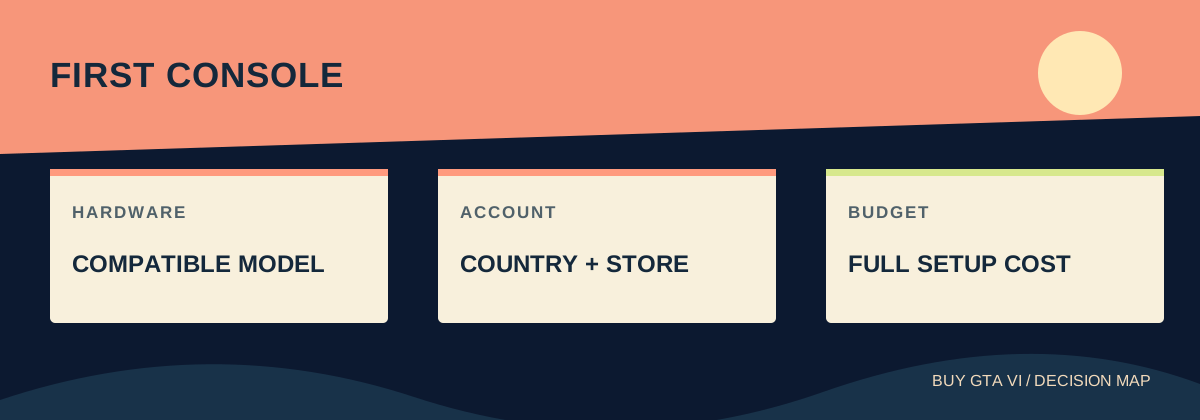
Choose a console from the announced PS5 or Xbox Series X|S families, then price the complete setup: hardware, game, display you own, internet and any accessories you actually need. Buy the GTA VI entitlement for the account and console you will use. Do not pay for an upgrade based on an unverified GTA VI frame-rate claim.
Worth knowing first
- PS5 and Xbox Series X|S are announced.
- Hardware cost dominates a small difference in game price.
- Your existing screen, library and download conditions matter.
Choose a complete way to play, not just a console box
For your first console, start with a compatible machine and the setup around it. GTA VI is announced for PS5 and Xbox Series X|S. You also need the correct game license, a screen, a controller, suitable storage and enough internet time to download. Compare that complete usable setup before deciding which hardware price looks attractive.
You do not need to understand every technical number before making a sensible choice. First ask where you will play, what you can comfortably spend and which other games interest you. Then check the exact console model. A simple plan based on your room and budget is more useful than paying for a feature you do not yet know you want.
Keep game and hardware spending separate. Buying a premium edition of GTA VI does not upgrade a basic console, and buying a premium console does not automatically include the game. Retailer bundles can combine both, but the included-items list must say so. A picture of GTA VI on a console advert is not the same as an included license.
Learn the console names before comparing used bargains
PS5 and PS5 Pro belong to the supported PlayStation family. PS4 and PS4 Pro are older machines, and PlayStation explicitly says GTA VI is not playable on PS4. The word Pro does not make those generations interchangeable. Check the model written on the actual hardware listing, especially when buying second-hand.
On Xbox, Series S and Series X are in the announced platform list. Xbox One S and Xbox One X are different older consoles. The extra word Series is essential. A cheap used listing saying Xbox S needs clarification before payment. Ask the seller for the exact model rather than assuming a familiar letter is enough.
Series S is an all-digital console. Series X has both drive-equipped and all-digital models, so the Series X name alone does not settle whether a particular unit reads discs. PS5 variants also differ. Match the exact advertised configuration to your wider plans instead of treating every machine in one family as physically identical.
Set a spending limit for the whole first month
Write down the console's actual local price, the game's final total, delivery and anything missing from the package. If the bundle includes one controller, you may not need another immediately. If you already have a usable television, you may not need a new screen at all. Count only purchases your plan actually requires.
Include recurring services on separate lines. A promotional subscription month can later become a payment, depending on the offer you accept. A membership is a different decision from buying the game. Do not make the budget look affordable by counting the first month and overlooking what a service will charge after it.
Consider a fictional comparison: setup A costs 500 in total and setup B costs 650, including the same game. Ask what the additional 150 buys you in real use. Those example numbers are not current console prices. The method helps you judge a real offer without letting a small game discount distract from a much larger hardware difference.
Check your existing television or monitor
Look at the screen you already own before pricing a replacement. Find its model, available input and speakers. Confirm that the console can connect using a supported HDMI input and that you have a practical way to hear the game. A computer monitor without speakers needs an audio plan even if the picture connection works perfectly.
Sit at your normal distance and think about your room. A larger or sharper screen may help some players, while another person mainly needs readable text and comfortable seating. You can start with usable equipment and judge an upgrade later. Spending all the budget on picture specifications can leave you with an uncomfortable setup you avoid using.
Plan where the console will sit, following its ventilation instructions. Leave room for cables and access to power without balancing the machine somewhere awkward. Check the Wi-Fi signal at that position or whether a network cable can reach it. These ordinary details affect daily use more directly than a hardware feature hidden in a comparison chart.
Choose the game library you want after GTA VI
Ask which other games you are likely to play over the next year. Check their actual platform availability rather than assuming a brand has everything your friends mention. Your first console is usually more satisfying when it supports a small list of things you already want, instead of being bought for one launch and left unused afterward.
Consider the people who will help you get started. A household already comfortable with one platform may find another console in that family easier to manage. That is a practical convenience, not proof that one system runs GTA VI better. Keep familiarity, sharing rules and game availability as separate reasons in your comparison.
If you are mainly interested in the campaign, do not build the purchase around a multiplayer feature you assume will arrive. The current official listings describe GTA VI as single-player. Buy for the experience actually offered and assess future announcements when they exist. That avoids paying for equipment or services based on an imagined use case.
Treat performance claims as questions with evidence
A frame rate describes how many pictures appear each second. Resolution describes picture detail. Higher hardware specifications can be relevant, but a console's maximum advertised number is not a GTA VI performance guarantee. A promise about this game's modes needs information about GTA VI on that specific model.
If a more expensive machine interests you, identify the benefit you hope to gain. Is it smoother movement, a clearer image or improvements across several other games? Then look for game-specific detail or credible measured comparisons that address that benefit. Do not let a seller replace a missing answer with an unrelated console slogan.
You can leave this decision open without losing your whole plan. Confirm a supported family, set your budget and wait on the uncertain performance comparison if it determines your spending. Someone buying their first console does not need to make an expensive choice immediately simply because technical questions remain unanswered.
Decide whether discs matter for your wider use
A disc drive can matter if you plan to buy compatible disc games or use supported physical media. An all-digital model suits a different buying pattern. Compare those uses before choosing. Read the exact model description, because some console families offer both versions and the box art may look very similar.
For GTA VI specifically, Rockstar's announced retail box contains a download code and no disc. A disc drive therefore does not turn this purchase into an offline installation. Buying a box may still suit your preferred retailer or collection, but it leaves the need to redeem a code and download the game.
If a listing suggests adding a drive later, verify the accessory's official compatibility with the exact console model before relying on that plan. Do not assume any digital console accepts a detachable drive. A future accessory purchase should be supported by the model's actual instructions, with its cost included if it is part of your decision.
Create an account you can keep control of
Use an email address you can access and an account you intend to keep. Record the recovery information securely and use the platform's available security controls. Your game purchases will be easier to manage if you can sign in, receive receipts and recover access without depending on a temporary address or someone else's account.
Check the account country before buying a code. Rockstar lists country groups for PlayStation GTA VI codes; a low-priced import may not match your account. It says Xbox GTA VI codes are not region-locked, but that does not describe every gift card or subscription. Identify the exact product before applying a rule to it.
Avoid console offers that rely on access to a stranger's account library. A seller's games appearing on a used console are different from purchases in your own account. Price the hardware by its condition and equipment, then budget for a license you control. Keep the receipt so you know who handles any later payment or delivery issue.
Buy the full game and leave optional extras optional
Read the store's included-items list. Standard provides the base game, while Ultimate adds listed content, including more than appearance changes alone. Rockstar also describes a separate Ultimate upgrade for Standard owners. That lets you focus on getting the main setup right before deciding whether the extra content is worth its displayed price.
An item labelled upgrade or add-on should not be assumed to include the base game. Before checkout, confirm platform, product title, included game, account and final currency. Keep a record of the purchase. If the library does not show the game afterward, inspect order history before paying again for a problem that may be account-related.
If you receive a GTA+ promotion, decide separately whether to claim and continue the membership. Read the billing date and cancellation controls. A bonus can be useful without determining your console choice. The strongest first purchase is still the compatible setup and game you want at a total you can comfortably afford.
Prepare the download and first evening
Check actual free storage on the console and wait for the game's real space requirement before buying expansion hardware. Download size and required installation space can differ. If you add storage, verify that it is suitable for running the game on that console, rather than only large enough to hold files.
Plan download time from your measured connection. For a hypothetical 100 GB transfer at a steady 25 Mbps, the ideal time is about nine hours before interruptions. That is a planning example, not a GTA VI file-size claim. A slow connection makes early preparation useful, and a retail box does not remove that download.
When the equipment arrives, test the screen, controller, account and network before the evening you want to play. Confirm the order in the correct library, then check the installation and release status separately. A complete first-console purchase ends with a setup you understand and can use, with enough budget left to enjoy it calmly.
Source desk
Product details checked October 13, 2026. Live store terms can change.
- Rockstar: supported platforms, editions, codes and retail format ↗ Checked October 13, 2026
- PlayStation: GTA VI compatibility and features ↗ Checked October 13, 2026
- Xbox: GTA VI supported consoles ↗ Checked October 13, 2026
- Xbox: Series X digital and disc-drive configurations ↗ Checked October 13, 2026
- Xbox: Series S digital format ↗ Checked October 13, 2026