Check the order's delivery method and each tracking number, then separate not shipped, delayed, delivered-but-missing and pickup orders. Confirm the address and ask household members or building staff where relevant. Report the specific problem to the seller with the order number and tracking record. A missing box does not automatically mean an emailed code or free replacement is available, so resolve the original order before buying again.
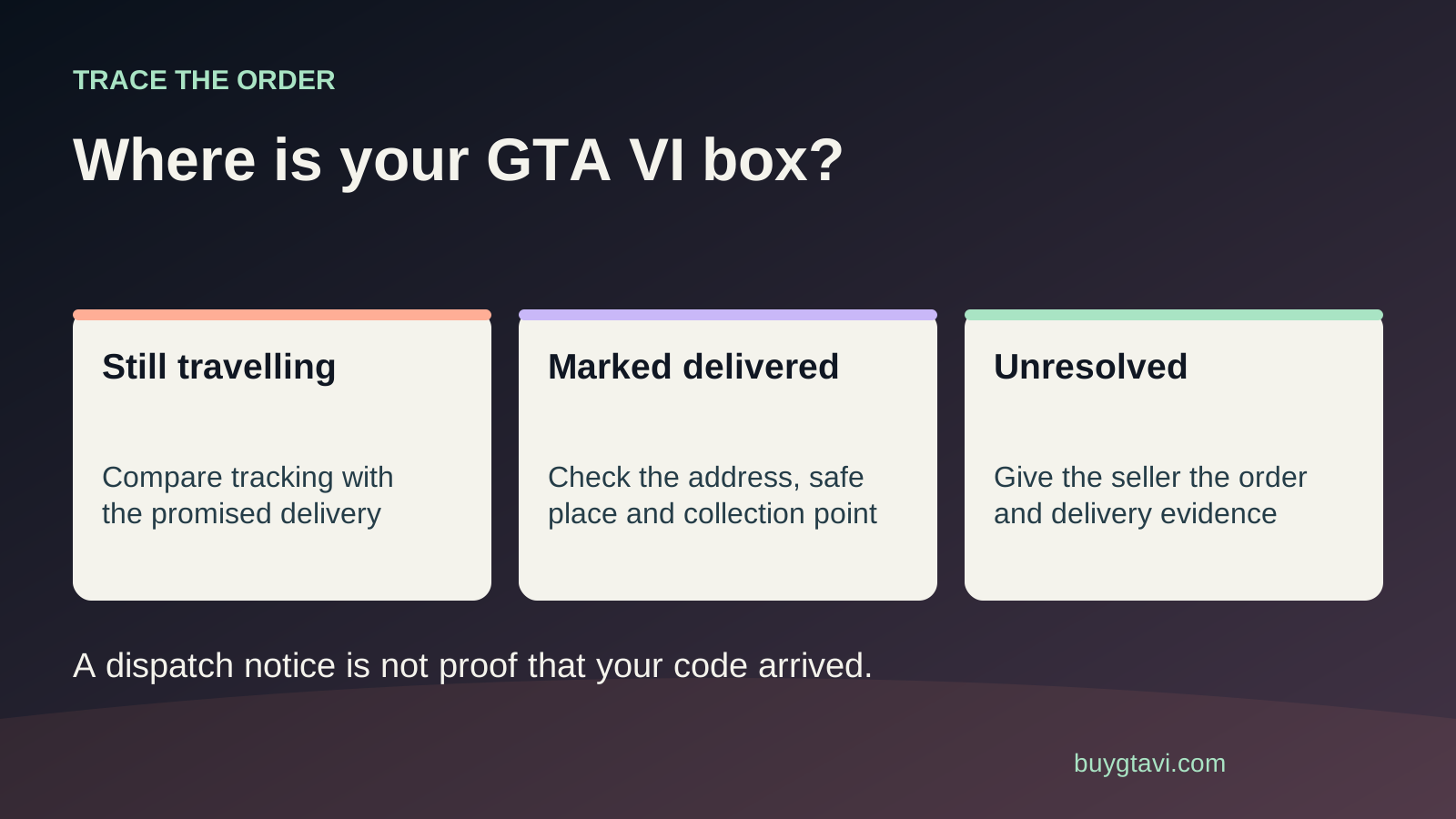
Worth knowing first
- Publisher shipping availability does not guarantee your arrival date.
- Trace each tracking number and use your own seller's reporting process.
- Keep the first purchase unresolved in your budget until the remedy is confirmed.
| Current status | What to check | Who to contact first |
|---|---|---|
| Order not shipped | Dispatch promise, payment and address | Seller |
| Label created | Whether carrier pickup was scanned | Seller or carrier under order instructions |
| Delayed in transit | Latest carrier estimate and issue note | Carrier and seller as directed |
| Delivered; parcel missing | Delivery detail, household and building staff | Seller with tracking evidence |
| Pickup order | Ready notice, branch and required ID | Pickup retailer |
| Box present; code absent | Inserts and promised contents | Seller about missing contents |
First find out what was supposed to arrive
You open tracking, see Delivered and find no GTA VI parcel at the door. Before deciding it was stolen, open the order itself. Does it promise home delivery, store pickup or a separately supplied digital code? Is GTA VI the item covered by that tracking number, or did an accessory in the same order arrive first? An order confirmation, shipping notice and delivery scan each describe a different part of the purchase. Read them together.
Rockstar says the announced GTA VI retail box contains a digital download code and no disc. Losing that box before you receive the code can therefore block access to the game, not just leave a gap on your shelf. But it does not follow that the seller can email the same code immediately. The actual delivery arrangement matters. Keep the original order number and use it to trace what was supplied rather than assuming every boxed order also has an online code waiting somewhere.
A preorder date is not your parcel's arrival date
Rockstar's purchase support FAQ says boxed preorders become available for shipping or pickup starting November 12, 2026. Starting shipping is different from arriving at every home that day. Your seller's dispatch plan, chosen delivery service and destination affect the journey. If your goal is to use the preload window, check the retailer's promised timing rather than turning the publisher's availability date into a delivery guarantee.
This guide was checked before that shipping window. If you are reading it before November 12, an order that has not shipped may still be following its stated plan. If you are reading later, compare the seller's current estimate with the actual tracking record. Do not judge lateness from the date you placed a preorder months earlier. The useful question is whether the seller's stated dispatch or delivery commitment for your own order has passed.
Not shipped: check the order before the carrier
An order marked received or preparing is still a seller-side question. Check whether the payment is complete and whether the seller has asked you to confirm an address or other detail. Use the order page rather than a bank entry alone; a payment authorisation does not necessarily establish a completed shipment. Search the account inbox for any order update, and check that you are looking at the correct order if you changed edition or seller earlier.
If the promised dispatch point has passed, ask the seller for the current status and an expected next step. Include the order number, product and delivery method. Do not send the carrier a complaint about a parcel it has not received. If a shipping label exists, read the carrier history to see whether pickup has been scanned. Label created can mean the shipment has been prepared without establishing that it has begun moving through the carrier's network.
Delayed in transit: keep the latest record
Open tracking from the seller's genuine order page, then check the carrier's latest update. Look for an updated estimate, attempted-delivery note, address issue or pickup instruction. Save a screenshot that shows the tracking number, status and time. A stretch without a scan is not enough on its own to prove a parcel is lost. Follow the seller and carrier's current instructions for when to report an unexplained delay.
Keep any case number if you ask the carrier to locate it, and tell the seller what the carrier said. The seller may need to start its own shipment investigation. Do not send a new message every few minutes with the same unchanged screenshot. Ask for the next update point and follow up when that point passes or the status changes. This makes the case easier to follow and avoids losing a useful answer among repeated requests.
Delivered but missing: check the place named in tracking
Read the full delivery detail, not just the green Delivered label. It may name a reception desk, parcel locker, porch or another permitted location. If a delivery photo is provided, compare the visible doorway or surroundings with your address. Check for a card or message telling you where the package was left. If the details show a place you do not recognize, save them and report that specific mismatch rather than saying only that the parcel is missing.
Ask household members whether they brought it inside. In an apartment building, check the mailroom, reception or security desk and ask whether a parcel is recorded under your name or unit. Where suitable, ask a nearby neighbour whether they accepted it. Do not trespass or confront someone because a tracking image resembles their doorway. You are gathering useful facts for the seller and carrier. A parcel found safely in the mailroom needs a different response from a scan pointing to another street.
Use the seller's waiting period, not a rule copied from another shop
Some sellers ask customers to allow a specified time after a delivery scan before opening a missing-parcel case. As one concrete example, the US PlayStation Direct delivery guide asks its own customers to check delivery notes, household members and building staff, then wait 48 business hours after the tracking update. That instruction applies to PlayStation Direct orders covered by that guide. It is not a worldwide deadline for every GTA VI retailer.
Check your seller's policy and reporting window. If tracking names the wrong destination, or a deadline to report the issue is approaching, tell the seller promptly rather than silently waiting on somebody else's timetable. Ask what applies to your order and keep the reply. Record that you checked the recommended places without making claims you cannot know, such as declaring theft when all you have is a missing parcel and a delivery scan.
Check the address and pickup instructions separately
Compare the address on the order with your intended destination, including house number, apartment, postcode and recipient. If you moved after preordering, a stored old address may explain the problem. Tell the seller what is wrong and ask whether a correction or redirection is still possible. Do not assume an online address edit updates a parcel already handed to the carrier. Keep any written confirmation that the seller accepted a change before shipment.
For pickup, look for a ready-to-collect message and the named location. An order confirmation is not always a collection notice. Check opening hours, collection deadline and required identification in the seller's instructions before travelling. If somebody else will collect for you, confirm the supported process rather than lending them your platform account. A retailer pickup and a carrier depot pickup are different arrangements; follow the instruction attached to this order, not the one you remember from another parcel.
One delivered box may not contain the whole order
If you ordered GTA VI alongside hardware or merchandise, check whether the seller split the shipment. Rockstar's physical-order FAQ says multiple store items may ship in separate boxes, each with its own tracking number. Match every parcel to the contents shown in the order. A controller arriving does not prove the game box was included, and a game box arriving does not prove a separate accessory is lost.
If the GTA VI box arrives but its code slip is absent, stop treating the issue as a missing parcel. Keep the package and check the inserts carefully, then report missing contents to the seller. If the case or code is damaged, photograph the condition before discarding anything. Our damaged box and code guide gives the next steps. A precise description helps support avoid searching carrier records for an item that physically reached you.
Contact the business that handled your order
Rockstar's GTA VI purchase FAQ directs purchases from other retailers back to those retailers for purchase, refund and delivery questions. For physical orders completed through Rockstar Store, it names Xsolla as the purchase-support handler. A PlayStation platform support team can help with its account and code systems, but a PS5 logo on a retail box does not make that team responsible for a parcel bought from an unrelated shop. Start with the seller named on the receipt.
A useful message is: 'Order [number] is for a GTA VI [platform] box. Tracking [number] changed to [status] on [date/time]. I have checked [relevant locations]. The address on the order is [correct / has this specific problem]. Please investigate and tell me the next step and update time.' Attach only the requested evidence through the private case. Keep your full home address, tracking link and any code out of public reviews or social posts.
Ask what happens next without assuming the result
The seller may investigate with the carrier, ask for more evidence or offer a remedy under its policy and applicable local rules. Ask whether the original parcel is still being searched for, whether any replacement has actually been approved and whether a refund request is being processed. Those are different outcomes. A support message saying a case is open is not proof that a replacement is on the way. A promised refund is not yet the same as money appearing in your payment record.
Do not buy a second copy on the assumption that the first will definitely be reimbursed. If playing on a certain day matters enough to consider another purchase, first establish the original order's cancellation or return options and accept that its outcome may remain unresolved. Do not redeem two codes while treating one as returnable unused stock. If both parcels later arrive, contact the seller with the case number and ask how to handle the extra item under the agreed resolution.
Finish the delivery case, then finish the game setup
When the parcel is found or a replacement arrives, inspect it and confirm that the promised code is present. Sign into the intended platform account before redemption. Finding the box is only the delivery stage: the game still needs the right account and an internet download. Check its library entry afterward. If it says already redeemed or shows another code error, save that message and follow the appropriate code guide rather than reopening the same carrier complaint.
If the seller resolves the case with a refund, check the payment record once its stated processing period has passed and follow up on the existing case if needed. Keep the receipt and outcome note. For the next boxed order, choose delivery or pickup around your real availability and download plan. Our slow-internet guide helps with the installation side. A reliable arrival plan and enough download time are both useful; neither replaces the other.
Source desk
Product details checked 2026-10-14. Live store terms can change.