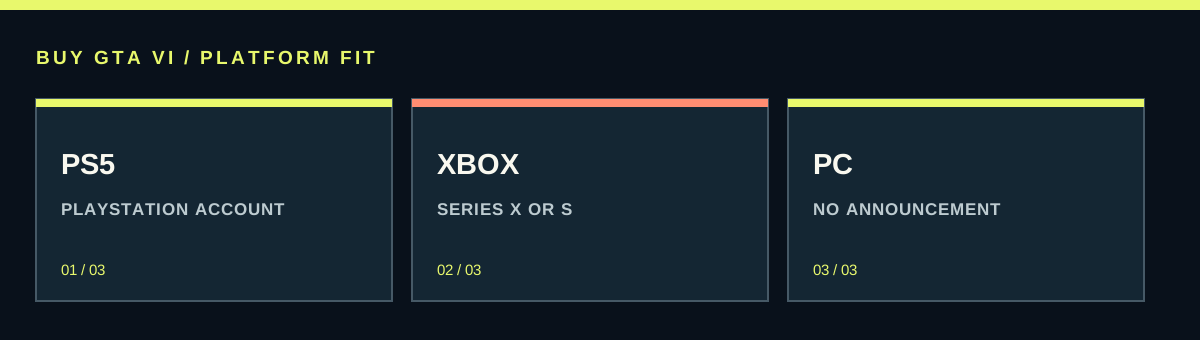
GTA VI is announced for PS5 and Xbox Series X|S. If you own one of those consoles, buy the version for that system and the account you use. If you are buying hardware too, compare the whole cost and the other games you want. PS5 Pro Enhanced is confirmed in the PlayStation listing, but that label alone does not establish a frame rate or a performance winner.
Worth knowing first
- The launch platform list includes PS5 and Xbox Series X|S.
- PS5 Pro Enhanced does not by itself state a frame rate.
- Compare the complete cost before replacing hardware you already own.
| Your situation | Useful next step |
|---|---|
| Already own PS5 | Compare PS5 editions in your account country |
| Already own Series X or Series S | Compare Xbox Series X|S editions |
| Own PS4 or Xbox One | Plan compatible hardware or wait |
| Considering PS5 Pro | Enhanced badge confirmed; verify specific technical claims separately |
| Buying a gift | Confirm recipient console, account country and existing order |
Already own a compatible console? Start there
The most useful comparison begins in your living room. If you already play on a PS5 or Xbox Series X|S, that system gives you a straightforward way to buy GTA VI without paying for another console. Open its store using your regular account and find the matching game listing. A small discount somewhere else rarely makes a second hardware purchase worthwhile on its own. Think about the cost of the whole change before letting one game price pull you toward another platform.
There are good reasons to change systems, including other games you want and a controller you prefer. Those are personal reasons that you can actually assess. A claim that one version is clearly superior before a reliable technical comparison exists is a much weaker basis for spending hundreds more. If your current system is supported and meets your needs, you can choose its version with a clear purpose: playing the announced game on hardware you already know how to use.
Check the exact model, not just the brand
Rockstar's announced launch platforms are PlayStation 5 and Xbox Series X|S. A PlayStation 4 is not a PS5, and an Xbox One is not an Xbox Series console. The similar names can cause mistakes, especially when buying for another person. Ask for the full model name or look at the console's own system information before ordering. Do not buy a game on the assumption that every machine with the same brand logo can run it.
Series S is included in the announced Xbox family. You do not need to turn that compatibility statement into an unsupported promise about its picture quality or frame rate. Similarly, the PS5 listing covers a PS5 game; it does not make older PlayStation hardware suitable. Read the supported-device label on the actual product page. Compatibility is the first hurdle, and it is much easier to settle than a debate based on screenshots taken from different videos.
What PS5 Pro Enhanced does and does not tell you
The official PlayStation product page labels GTA VI as PS5 Pro Enhanced. That is useful confirmed information for someone considering a Pro. It does not, by itself, provide a complete list of graphics modes, resolution targets or frame rates. Treat a claim about a specific number as a separate claim that needs its own source. A product badge and a detailed technical test answer different questions, so neither should be stretched to stand in for the other.
If you already own a PS5 Pro, choose the PS5 edition rather than searching for an invented separate Pro copy. If you are thinking of replacing an existing console, decide what improvement would make the expense worthwhile to you. Would smoother movement matter most, or a sharper image, or other Pro games? Wait for evidence that addresses your actual priority before paying for the upgrade solely because of GTA VI. A vague expectation is difficult to compare with a very real hardware bill.
Compare daily use as well as the game
A console is something you may use for years. Consider the controller, the menus, the games you already own and the people who share the system. If your household has an established account setup, changing platforms may mean extra setup and different purchases beyond GTA VI. If a friend owns both consoles, trying the controllers can help you make a more useful decision than reading an argument about which brand somebody prefers.
Your other games matter too. Make a short list of what you genuinely expect to play over the next year and check where those games are available. A console that fits that list may be better value even if its GTA VI price is a little higher. Keep existing purchases separate: owning games on one platform does not mean buying GTA VI on the other automatically brings that earlier library with you. Account libraries are part of the cost of changing habits.
Choose the game edition after the platform
Once the console is settled, compare Standard and Ultimate within that same store and country. Standard supplies the base game. Ultimate adds its listed upgrade content, including extra activities and destinations as well as items and styling. The right edition depends on whether those additions interest you. Choosing Ultimate cannot solve a wrong-platform purchase, and choosing Standard does not make a supported console any less compatible with the base game.
This order makes price comparisons cleaner. First compare the cost of playing on each system if you need hardware. Then choose an edition and compare sellers that supply that exact combination. Otherwise, it is easy to compare one platform's Standard price with another platform's Ultimate price and draw the wrong conclusion. Put the platform and edition in a note before shopping. That small step makes large store banners and discount labels much easier to judge.
Digital and boxed purchases still need the right account
Rockstar says the retail GTA VI box contains a download code rather than a disc. A boxed purchase therefore does not bypass the need to choose a platform or download the game. A PS5 box belongs to the PlayStation route, and an Xbox box belongs to the Xbox route. You are choosing how the digital game reaches the account, along with whether you want packaging, rather than choosing a playable disc for one machine.
For PlayStation codes, the supported account region matters. Rockstar publishes the relevant groups in its edition support article. Its statement that Xbox GTA VI retail codes are not region-locked concerns those game codes; it should not be copied across to wallet cards, every digital gifting method or every national store's payment rules. If you are buying abroad, identify the exact product type before relying on a regional claim. A discounted box only becomes useful after the intended account can redeem it.
Build a whole-purchase budget
If you need a console, add the console and game first. Then include only the other things you actually need: perhaps delivery, an extra controller for another game you play, or suitable storage after checking the system's supported options. Do not add an unconfirmed GTA VI storage requirement or assume a particular accessory is essential. Separate required spending from things you would like. That shows whether you can comfortably make the purchase or would rather wait.
Use final local prices when comparing two hardware options. Taxes, delivery and a bundle's exact contents can change the result. A bundle is useful only if the things it includes have value to you. If you already own a supported console, calculate the cost of keeping it as a third option. That is often the comparison missing from a discussion framed as buying a new PS5 versus buying a new Xbox. Keeping suitable hardware is a real choice, too.
For gifts, follow the recipient's setup
Suppose you use PlayStation and want to buy GTA VI for someone with an Xbox Series S. Your own store history does not decide their platform. Confirm their exact console, account country and whether they already own a preorder. Then choose a suitable purchase or gift route using the recipient's details. If the store does not support the gifting method you had in mind, investigate an appropriate retailer or account-country credit option rather than redeeming the game into your own library.
Avoid buying an account advertised as already containing GTA VI. That changes the purchase from getting a game on the recipient's account to relying on somebody else's login and continued access. A normal game purchase or a suitable unused code is easier to understand and document. Save the order receipt and the product description. For a physical gift, leave the code unredeemed so the recipient can place the game in the account they intend to use.
Do not assume future features settle today's choice
Questions about cross-platform play, moving saves between console families or a later PC version require their own confirmed details. The announced single-player game and the platform list do not establish those features. If one of them is the deciding factor for you, wait for a clear statement addressing it. Buying now on the strength of an assumed future feature can leave you with a version that fits neither your current setup nor the plan you had in mind.
Your final decision can stay simple. Use a supported console that fits your budget and the rest of your gaming life. Choose its correct GTA VI listing, match the owning account, and check the final price. Save technical comparisons for the moment reliable evidence is available and relevant to your purchase. That approach gives you a reason for your choice that remains useful even when the next dramatic performance rumor appears.
Source desk
Product details checked October 13, 2026. Live store terms can change.
- Rockstar: platforms, versions and code regions ↗ Checked October 13, 2026
- PlayStation: PS5 version and PS5 Pro Enhanced listing ↗ Checked October 13, 2026